Your pharmacy’s catalog, with orders on WhatsApp
Show your products with a QR code, handle prescription items the right way, and get orders straight to your WhatsApp. No commissions, and ready in a day.
- No commissions
- Orders on WhatsApp
- Ready in 1 day

Scan it with your camera
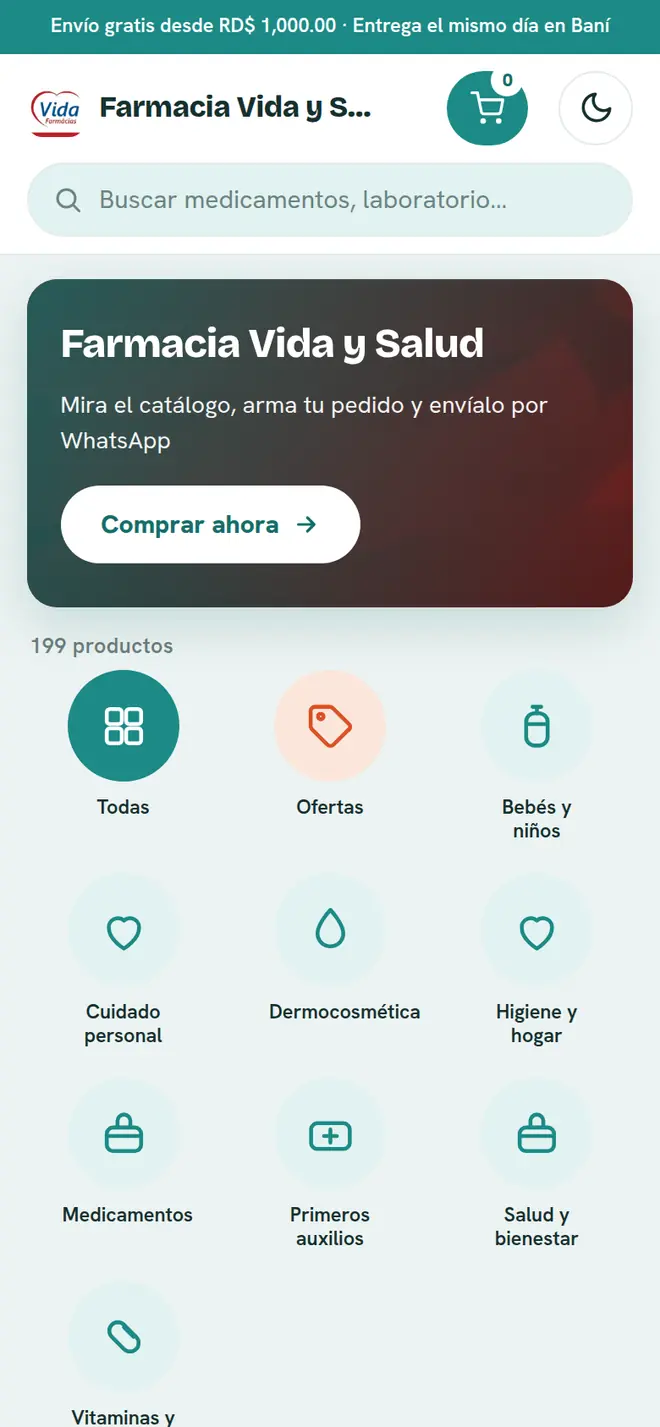
See how the catalog looks on a phone.
Everything your pharmacy needs
A professional catalog that’s easy to manage, with no hassle.
Prescriptions handled right
Prescription items show “Check availability” and can’t be added to the cart.
Orders straight to WhatsApp
Customers build their order and it reaches your phone ready to go, with no commissions or middlemen.
Bulk upload with Excel
Load your entire inventory at once with an Excel or CSV template.
Professional offers
Show the original price struck through next to the sale price, with a clean, serious design.
Looks great on any screen
Phone, tablet, or computer: your catalog adjusts on its own.
A QR code to print
Download your QR code and place it on the counter, the window, or the bag.
Prescription items, handled right
Mark any product as a “prescription” item and it appears in the catalog with a “Check availability” note. It can’t be added to the cart: the customer messages you on WhatsApp and you confirm availability and the prescription. You stay compliant without losing the sale.
- The item can’t be added to the cart.
- “Check availability” shows instead of the price.
- The customer reaches you on WhatsApp to arrange it.


Getting started is this easy
From your inventory to your first order, with no hassle.
Upload your products
Add them one by one or load your whole inventory with an Excel template.
Share your QR code
Print your QR code and place it where your customers can see it.
Receive orders
Your customers build the order and it reaches you straight on WhatsApp.
This is how your pharmacy looks
The same catalog adapts to any screen.








Your own logo and banner
Your pharmacy with its identity: upload your logo and cover image.
Configurable delivery
Turn delivery on or off and set your area and your fee.
Categories with icons
Medicines, personal care, baby products, and more, neatly organized.
Ready for your digital catalog?
Message us on WhatsApp and we’ll show you how your pharmacy would look. No strings attached.
Request your quote
Tell us about your business and we'll put together a proposal tailored to you. No strings attached.
Hi, I'd like a quote for Wolfix Menu for my business